
DNS is how a name becomes an address. You type a site. Your device asks a resolver. The resolver answers with numbers. Off a VPN, that question usually goes to whoever your network handed you: the ISP, the router, sometimes a public resolver you typed because a blog said it was healthier.
When a VPN is up, that hop is supposed to change. The query should ride the encrypted tunnel to the VPN's resolver. Your ISP should see a blob going to the VPN, not a shopping list of names. That is the plot. Who answers, and who is allowed to watch the question.
This is not the DNS Leak: Why It Matters and How to Test how-to. That piece is why leaks matter and how people test. This is not the Leak Test After You Connect a VPN. That piece is IP, DNS, WebRTC, IPv6 as a procedure. This is not the IPv6 Leak: Why It Happens and How to Test physics lesson. I will mention IPv6 once and send you there. This is the resolver hop, in English, for a consumer who connected Klox and wants to know what actually changed.
A VPN is still a tunnel. Cloudflare's What is DNS? is the textbook for the phone-book metaphor. Wikipedia's Domain Name System page will not configure your Mac. RFC 8446 is TLS 1.3 on the web path. HTTPS can hide page bodies and still leave DNS visible if names never entered the tunnel.
Klox consumer is WireGuard, OpenVPN, OpenConnect, and Shadowsocks, five devices, yearly from $2.83 a month, seven-day money-back. The features page is blunt: all DNS through the VPN tunnel, plus IPv6 leak protection and WebRTC leak blocking. The default is tunnel DNS. We are not selling you a consumer custom-DNS picker in this article. If a farm tells you to type 1.1.1.1 into the adapter to go faster, that farm is teaching a different hop. That hop can undo the tunnel's DNS on purpose.
I have a bias. Let the VPN own names while you are connected. Do not stack browser DoH to a third party as a hobby. Link the leak post when you want a procedure. Then stop collecting resolvers like they were vitamins.
Related reading: How to Use a VPN on Crossfit Wi-Fi and VPN for Content Creators: Protect Your IP and Uploads. What is a VPN? and Download KloxVPN. VPN kill switch and DNS leak explained.
Looking for a reliable VPN?
KloxVPN — from $2.83/month. Apps for every device.
DNS is a hop, not a leak-test tutorial
Start with the boring object. A stub resolver on your device has a question: what address is this name. It sends that question to a recursive resolver. That resolver may already know, or it may walk the DNS tree until an authoritative server answers. You do not need the four-server diagram memorized to use a VPN. You need to know which recursive resolver you are talking to, because that machine sees the names.
Off the VPN, that recursive resolver is often the ISP. Sometimes it is the router, which then forwards to the ISP. Sometimes it is a public resolver you configured because a video said your ISP is slow. On the VPN, if the client is doing the job Klox documents, the recursive resolver is the VPN's. The query is inside the tunnel. The ISP does not get the shopping list.
A leak test exists because the UI can say connected while the stub still asks the old resolver. The test is a later article. Here: if the hop did not change, you bought a tunnel for web packets and left the table of contents in the clear. That is the failure mode. It is common enough that every serious VPN has to talk about DNS at all.
I will not walk you through a test page in this post. If you want steps, open DNS Leak: Why It Matters and How to Test and the Leak Test After You Connect a VPN checklist. Come back here if you only wanted the English for what changed.

- 1Skim the seating / order diagram.
- 2Do the numbered steps once on your real network.
- 3Use the FAQ if a sentence was too long.
- 4Follow one related article — not ten tabs.
How to read this page
| State | Who usually answers names | Who can see the query | Common mistake |
|---|---|---|---|
| VPN off, DHCP default | ISP or the router that forwards to the ISP | ISP, maybe the coffee shop | Assuming HTTPS hid the names too |
| VPN off, you typed a public resolver | That public resolver | Whoever runs 1.1.1.1 or 8.8.8.8, plus the path to them | Calling it private because the brand is famous |
| VPN on, tunnel DNS (Klox default) | VPN resolver through the encrypted tunnel | The VPN operator, not the ISP as a name log | Then setting browser DoH to someone else |
| VPN on, leak | Still the ISP or the old system resolver | ISP still sees names | Trusting the green toggle without a hop change |
| VPN on, split-out app | Often system DNS for that app | ISP for those names | Excluding the browser and then being shocked |
| VPN on, IPv6 ignored | Maybe v6 DNS off-tunnel | Whoever handles that v6 path | That is the IPv6 article, not this one |
The resolver hop changes when you connect. That is the whole story.
— KloxVPN consumer notes
HTTPS did not eat DNS
TLS 1.3 can encrypt the web session. The name lookup often happened first, on a different hop. If that hop was the ISP, the ISP still got the name. A VPN that carries DNS inside the tunnel is how you stop treating HTTPS as a cloak for the phone book.
You do not pick a city to understand this
Farms sell DNS as a geography trick. Resolver hop is not a server map. I will not invent a city count. Who answers the question is the fact. Where a web packet exits is a different fact.
What the ISP resolver sees when you are off the VPN
Without a tunnel, your laptop is a customer of the access network. DHCP typically pushes DNS servers. Home: often the router, which forwards to the ISP. Phone hotspot: the carrier. Cafe: whoever runs that gateway. Each query is a name you intended to visit, plus timing, plus your real address as the asker.
That log is useful to the operator, and sometimes to advertisers. You can argue about retention laws in your country. You cannot argue that the query did not happen. It went to their resolver unless you changed it.
Changing it to a famous public resolver without a VPN is a different bargain. You stop handing names to the ISP's recursive server. You start handing them to the public operator, and the ISP may still see that you are talking to 1.1.1.1 or 8.8.8.8. Encrypted DNS can hide the name from the ISP and still show the public resolver everything. That is not a VPN. That is a new landlord for the phone book.
Klox is not that landlord while you are disconnected. Off means off. Tunnel DNS applies when the tunnel is up. After you disconnect, the Mac should go back to what the network handed you. Leftover resolvers are how people file tickets that say the internet is broken after they quit the app.
The router is often a middleman
Seeing 192.168.1.1 as DNS does not mean the ISP is blind. The router usually forwards. A leak test that shows a private address is not automatically a pass. The leak article covers that confusion. Here: private DNS on the LAN is still often ISP DNS one hop later.
Work networks push their own
Corporate DHCP can force an internal resolver so that intranet names work. A consumer VPN may override that while connected, which is why some office apps break on the tunnel. That is a path conflict, not proof Klox is broken. Split the app or disconnect for the intranet. Do not set a custom DNS to please both gods unless you like tickets.
What changes when the tunnel is up
Connect. The client should install routes and DNS settings for the session. Names should now go through the tunnel to the VPN resolver. Web packets should go through the tunnel to the exit. Your ISP sees encrypted traffic to the VPN. The site you visit sees the VPN exit address, not your home address.
Those are two changes. People mash them. IP change without DNS change is a leak-shaped failure: the site thinks you are at the exit, the ISP still got the name. The after-connect post is the checklist. This post is the hop.
Klox documents all DNS through the VPN tunnel. Leave that default. This article is not a custom-DNS manual. If the live app has advanced fields, confirm them there. Do not copy a farm's 1.1.1.1 into an adapter because a chart said it was faster. I will not invent a speed test. The point of Klox DNS is the hop, not a millisecond contest.
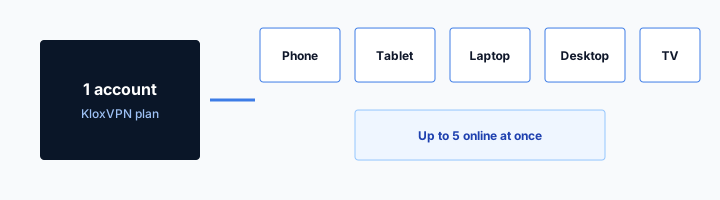
Five devices means five stubs. Connecting the Mac does not change DNS on the phone. People file that as a leak. It is geography of devices. Turn the app on where you care.
Disconnect should restore the old hop
When you disconnect, system DNS should return to DHCP. If names still fail, you may have a stuck resolver. Reboot is crude and often works. Reinstall is later. Do not leave a manual 1.1.1.1 in the adapter as a souvenir of a farm guide.
Protocol does not pick the resolver brand
WireGuard versus OpenVPN is how the tunnel is built. UDP rude, use OpenVPN. That is the protocol post. Both should still carry DNS inside if the client is doing Klox's default. Switching protocol because a DNS farm told you to is the wrong lever.
ISP DNS versus VPN DNS
ISP DNS: the access network's recursive resolver, or the router that feeds it. It knows you as a subscriber. It sees names in the clear unless you encrypted DNS to someone else. It is convenient. It is also the log people buy a VPN to stop feeding.
VPN DNS: a resolver you reach through the tunnel. The ISP does not get the name list. The VPN operator does, in the sense that their resolver answers you. Whether they keep that, for how long, is a privacy-policy question, not a protocol question. I will not invent a retention number. Read the live policy. I will not invent an audit badge so the resolver feels enterprise.
Public DNS without a VPN is a third column. Fine products for what they are. They are not Klox tunnel DNS. A competitor farm titled best DNS servers is usually teaching that third column. Specimen, not a shopping list. We route names through the tunnel. That is the product sentence.
Encrypted DNS to a public resolver while a VPN is up can bypass the VPN resolver. The browser talks DoH to 1.1.1.1. That traffic might still go through the tunnel as IP packets, so the ISP is not reading the names, but the public resolver is, and you are no longer using Klox DNS. Some people want that. Say so on purpose. Do not do it by accident because Chrome enabled a secure DNS row.
Who you trust moved
Off: you trust the ISP's resolver, or the public one you typed. On, Klox default: you trust the VPN resolver for names. That is a trade. It is the trade you bought. It is not anonymity. See What a VPN Cannot Do.
Faster is not the claim
I will not publish a lab chart. A nearby ISP resolver can feel snappy. A tunnel DNS hop can feel the same or worse depending on the path. The reason to use VPN DNS is the hop change, not a stopwatch. If names are actually broken, that is a ticket, not a reason to paste 8.8.8.8 into the NIC.
Why leak tests exist (the procedure lives elsewhere)
The toggle is a client state. The resolver is a network fact. Those can disagree. A leak test asks: now that you claim to be connected, who answers names? If the answer looks like the ISP you had at baseline, the hop did not change. That is why the test exists. It is QA, not a character reference.
I am not going to list click paths or how to read every result. That would clone the leak posts. Run a test when you care, while connected, after a baseline with the VPN off, and treat a pass as this device, this network, this moment. Then come back to the hop.
Why would the hop fail? Client did not override system DNS. You stacked DoH in the browser. You excluded the browser in split tunnel. A content filter grabbed names. IPv6 DNS left the building, which is the other article. A work profile pinned a resolver. You never allowed the VPN configuration on Sequoia, so you were never in the tunnel and you tested anyway.
Klox's features list is the intent: DNS through the tunnel. A test is how you check intent against reality. Intent without a test is marketing. A test without understanding the hop is a screenshot you cannot interpret. Keep both. Do not merge the posts.
Link, do not clone
Mechanism and why it matters: DNS Leak: Why It Matters and How to Test. Ten-minute checklist: Leak Test After You Connect a VPN. IPv6: IPv6 Leak: Why It Happens and How to Test. This page stays on who answers names when the tunnel is up.
A pass is not a personality
Passing DNS on the laptop does not pass the phone. Passing at home does not pass the hotel. Repeat when the network changes. That sentence belongs in the checklist post. I am repeating it once so you do not treat this explainer as a lifetime certificate.
Klox default: DNS through the tunnel
The features page says all DNS through the VPN tunnel. Automatic on all servers. While connected, names should not go to the ISP resolver as the recursive hop. They should go inside the encrypted tunnel.
It also lists IPv6 leak protection and WebRTC leak blocking. Those are sibling protections, not DNS. WebRTC is the browser volunteering addresses. IPv6 is the other internet. DNS through the tunnel does not, by itself, stop a STUN script. WebRTC blocking does not hide the names you looked up. Read the labels.
I am not documenting a consumer custom-DNS picker. If the live app shows a field, confirm it there. Leave the default: tunnel DNS. If a farm says set Cloudflare DNS inside the VPN for privacy, they are mixing the third column with the second. Cloudflare's DNS explainer is a good textbook. It is not a reason to override Klox while connected.
Yearly from $2.83 a month, seven-day money-back, five devices, WireGuard, OpenVPN, OpenConnect, and Shadowsocks. None of those numbers change the hop. If tunnel DNS is why you bought, verify with the leak post inside the window. If you wanted a best-DNS ranking, that is a different product.
Automatic on all servers
You should not have to pick a DNS hostname per city. You pick a server in the app for the exit. DNS should follow the tunnel. If a server connects and names die, that is a ticket, not a prompt to invent a resolver. Try another server or the other protocol, then write support with OS, app version, and protocol. Not with a poem.
Do not paste public DNS into the adapter
Windows and macOS let you type resolvers on the NIC. That is how people undo tunnel DNS and then review the VPN for leaking. If you need a public resolver, disconnect first, or understand you opted out of Klox DNS. The default is the tunnel.
Browser encrypted DNS is a different hop
Chrome, Firefox, Edge, Safari: various rows named secure DNS or DNS over HTTPS. They send names to a resolver the browser vendor or you chose, inside HTTPS. That can be good on a naked cafe. It can fight a VPN.
While Klox is connected, I want apps to use tunnel DNS. A browser that insists on DoH to a third party is a second policy. Those packets might still ride the tunnel, so the ISP is not reading them. You have still moved the name log to the DoH operator, and you have stopped using Klox's resolver. If that is a conscious choice, fine. If it is a default you never noticed, turn the browser row off while you use the VPN.
This is not anti-Cloudflare. Their DNS explainer is in the first section on purpose. It is anti-stacking without noticing. One hop you understand beats three hops you collected.
Extensions that force DNS, privacy browsers with their own resolvers: same class of problem. Isolate. Test with a boring browser profile. Do not run four name policies and then ask which one leaked.
DoH is not a VPN
Encrypted DNS hides names from the local network. It does not change your IP for the web session. It does not give you five devices of WireGuard. People search best DNS when they needed a tunnel. Different object.
Safari and system DNS
On Apple platforms, some of this is system-wide, some is per-app. Confirm in the live OS. I will not invent a Sequoia menu that will rot. If the browser has a secure DNS switch, look at it while the VPN is up. That is the check.
Split apps and helpful system DNS
Split tunnel means some apps skip the VPN on purpose. Their packets go direct. Their DNS often goes back to the system resolver, which is the ISP again. That is expected for excluded apps. It is a leak only if you thought exclude meant hide the names too. It usually does not.
If you exclude the browser, then run a DNS leak test in that browser, you will fail a VPN that is doing what you asked. Include the browser, or accept that the test is for the included path.
OS features that query multiple resolvers, or that keep old DHCP DNS as a fallback, can send names out the side. A good client pins DNS to the tunnel for included traffic. Typing a public resolver into three places makes it worse.
Router VPN is a different topology. This article is device apps. Do not mix a house-wide router tunnel into a laptop-app ticket without saying so.
Exclude the game, include the browser
A reasonable split: latency-sensitive game goes direct, browser stays in the tunnel. Then do not leak-test inside the game's overlay. Test the browser. Know which path you measured.
Work apps that need intranet names
Those names may only exist on the office resolver. Full-tunnel VPN DNS will not find them. Split that app, or use the office VPN for work, or disconnect. Three honest options. Pretending one resolver can be both ISP-blind and internally omniscient is how you get a messy NIC.
What a VPN DNS change cannot do
It cannot make you anonymous. Accounts, cookies, payment, and the face you put on camera still identify you. Read What a VPN Cannot Do. Tunnel DNS only moved the name hop.
It cannot replace HTTPS. RFC 8446 is still the web's TLS. It cannot stop phishing. The resolver will happily answer a fake bank's name if that name exists. It cannot stop malware, back up your disk, or pick a stream with a guarantee.
It cannot fix IPv6 by itself if the client ignored v6. That is the IPv6 leak article. It cannot fix WebRTC by itself. Klox lists WebRTC leak blocking as a feature. Test that as WebRTC, not as DNS.
It cannot change DNS on the four other devices when you only connected one. Five seats, five stubs. It cannot survive you pasting 8.8.8.8 into the adapter and then blaming the app. The default is tunnel DNS. Own the opt-out.
Streaming is not a DNS grade
A show playing means a CDN answered. It does not prove the ISP missed the lookup. Do not use a catalog as a leak test. If you care about names, use the leak post. If you care about a show, accept that catalogs guess and fail.
Support wants the hop, not a mood
OS, app version, protocol, VPN on or off, whether you set custom DNS, whether the browser has DoH. That is a ticket. It leaks is a mood. The hop story above is what the mood was trying to say.
Confirm the hop, then stop collecting trivia
Success looks like this. You connected Klox. You understand names should now be answered through the tunnel, not by the ISP. You did not paste a public resolver into the NIC. You did not enable browser DoH as a second religion. You know leak tests exist, and you will use those posts when you want a procedure. You know IPv6 and WebRTC are siblings, not synonyms.
Failure looks like a folder of best DNS articles, three resolvers on the adapter, Chrome DoH to a fourth, split tunnel on the browser, and a review that says the VPN leaks because a farm taught you to undo the hop.
Install from download. Pricing is yearly from $2.83 a month, five devices, seven-day money-back. WireGuard until UDP is rude, then OpenVPN. Leave DNS on the default: through the tunnel. Close the extra tabs. The phone book moved. That was the job.
When to reopen the leak post
New OS, new network, new browser, after you changed split tunnel, after you enabled a filter. Not every morning. The explainer you just read does not expire. The measurement does.
When to stop
If you connected, you did not override DNS, and you are not debugging a failure, stop. Do not collect resolvers. Do not rank them. The hop changed. Go use the internet.
Key Takeaways
DNS on a VPN is a hop change. Off, names usually go to the ISP or to a public resolver you typed. On, with Klox's default, names go through the encrypted tunnel. The ISP should not get the shopping list. The VPN resolver answers instead. That is the product sentence on the features page: all DNS through the VPN tunnel.
Leak tests exist because the toggle can lie. The procedure is in the leak posts. IPv6 leak is a different post. WebRTC is a different mechanism. Custom public DNS while connected is how you undo the hop on purpose. Browser DoH is a second hop if you stack it.
Klox consumer remains WireGuard, OpenVPN, OpenConnect, and Shadowsocks, five devices, yearly from $2.83 a month, seven-day money-back. IPv6 leak protection and WebRTC leak blocking sit next to tunnel DNS. None of them make you anonymous. If you want the client, download it. If you want the number, see pricing. Then stop collecting DNS trivia.
Related Resources
Connect. Let the tunnel own the names.
KloxVPN routes DNS through the tunnel by default. WireGuard, OpenVPN, OpenConnect, and Shadowsocks, five devices, yearly from $2.83 a month, seven-day money-back. Download the app and leave the hop alone.
Download KloxVPNFrequently Asked Questions
KloxVPN Team
Experts in VPN infrastructure, network security, and online privacy. The KloxVPN team has been building and operating VPN services since 2019, providing consumer and white-label VPN solutions to thousands of users worldwide.