WebRTC is how a browser makes a call, shares a screen, or opens a peer data channel without a plugin. It is a real product. Meet, Discord in the tab, a support widget with camera, a page that wants a fast path to another browser. To find that path, the browser asks the machine what addresses it has. Sometimes that answer includes a home public IP even though you already clicked Connect on a VPN.
That surprise is the leak. It is also the misunderstanding. People see the home IP on a test page and declare the VPN broken. The HTTPS they just loaded may still be leaving through the tunnel. DNS may still be inside the tunnel. The browser volunteered a candidate on a different mechanism. Different job. Different leak.
This is not the WebRTC Leak: Can It Expose Your IP with a VPN? how-to. That piece is how to check and how to clamp Firefox and friends. I will point at it. I will not rewrite about:config. This is not the Leak Test After You Connect a VPN either. That one is IP, DNS, WebRTC, IPv6 as a procedure. This is the English: what the call stack is, why STUN exists, why the LAN NIC still answers, why that is not proof WireGuard died.
A VPN is a tunnel for a default path. Wikipedia's WebRTC page is the call stack. MDN's WebRTC API is the browser surface. RFC 8446 is TLS 1.3 on ordinary HTTPS. TLS did not retire ICE. ICE did not retire TLS. They sit next to each other in the same Chrome process and confuse people who wanted one switch to mean one IP forever.
Klox consumer is WireGuard, OpenVPN, OpenConnect, and Shadowsocks, five devices, yearly from $2.83 a month, seven-day money-back. The features page lists WebRTC leak blocking, next to DNS through the tunnel and IPv6 leak protection. I will cite the feature. I will not invent the internal wiring. Test after you care. Then stop treating a call API as a VPN protocol.
I have a bias. Leave the call stack on when you are actually on a call. Do not panic because a STUN script saw a NIC. Read the table. Then go to the test post if you need a procedure.
Related reading: Linux pty_max: Not a VPN Setting and Linux pty_nr: Not a VPN Setting. Linux pty_reserve: Not a VPN Setting and Pushfq: Not a Mitigation Toggle. What is a VPN? and Download KloxVPN.
Looking for a reliable VPN?
KloxVPN — from $2.83/month. Apps for every device.
WebRTC is a call in the browser
Web Real-Time Communication is a set of APIs in Chrome, Firefox, Edge, Safari, and the rest. Audio. Video. Data channels. The point was peer-to-peer without Flash. MDN will give you RTCPeerConnection if you want the object name. You do not need the object name to use a VPN. You need to know the browser can open a path that is not your ordinary HTTPS tab.
Ordinary HTTPS: the OS routes to the VPN adapter, the packet exits at a VPN IP, the site sees that IP. WebRTC: the page asks the browser to gather candidates so a call can start. Gathering looks at interfaces. Interfaces include the Ethernet or Wi-Fi NIC that still has a LAN address and, often, a NAT mapping to your home public IP. The VPN adapter is another interface. ICE tries more than one.
A competitor farm will call this a massive vulnerability and then sell a browser extension. Fine as marketing. As physics, it is a call stack doing call-stack work on a machine that also has a tunnel.
If you never visit a page that runs the script, you may never see it. Trackers and test pages do run the script. That is why the leak has a reputation. It is not because WireGuard forgot how to encrypt TCP.

- 1Skim the seating / order diagram.
- 2Do the numbered steps once on your real network.
- 3Use the FAQ if a sentence was too long.
- 4Follow one related article — not ten tabs.
How to read this page
| Mechanism | What it is for | What it can show while VPN is up |
|---|---|---|
| HTTPS through the tunnel | Ordinary web pages | VPN egress IP to the site |
| DNS through the tunnel | Names to addresses | VPN resolver sees names; ISP should not |
| WebRTC host candidate | Find a LAN path for a call | A private RFC1918 address on the NIC |
| WebRTC STUN (srflx) | Find a public mapping | Often the home public IP if ICE used the physical NIC |
| WebRTC TURN relay | Call when NAT is rude | A relay address, not your home, if used |
| Klox WebRTC leak blocking | Stop the volunteer | Feature on the client; still test in the other post |
The browser can ask the LAN for an address while the VPN adapter is up. That is not the tunnel lying.
— KloxVPN consumer notes
A call stack is allowed to exist
We did not invent WebRTC to annoy VPN users. Video in the tab is why it shipped. The leak is a side effect of gathering addresses. Killing the entire API is a choice. It is not the only choice. It is also how your Meet tab dies.
Plugin-free was the point
Before this, you installed extra software to talk. After this, a page can ask. That is convenient. Convenient APIs get abused by scripts you did not think of as a phone call. Trackers are not polite.
STUN is a what-is-my-public-address ask
NAT hides many home machines behind one public IP. A call still needs a way to say hello from outside. STUN is a small server that looks at the packet you sent and replies: this is the public mapping I saw. The browser uses that reply as a candidate. Session Traversal Utilities for NAT is the long name.
The important part: STUN is not the VPN. It is not DNS. It is not TLS. It is a mirror for an address. If the packet to the STUN server left via the physical NIC, the mirror shows the home mapping. If the packet left via the VPN adapter, the mirror shows a VPN mapping. ICE may try both. A test page prints whatever came back.
People hear STUN and think stun as in attack. It is a protocol name. The attack, if you want that word, is a page reading the candidate list you did not know was public to JavaScript. The protocol is doing what it was asked.
TURN is the fallback when STUN is not enough: relay the media through a server. Relays cost money and add latency, so ICE prefers a direct path when it can. Direct is how home IPs show up. Direct is also how a call stays cheap.
The STUN server is not Klox DNS
A STUN box answers a mapping question. A DNS resolver answers a name question. Mixing them is how tickets say my DNS leaked when they meant ICE. Keep the nouns.
You rarely pick the STUN host
The page or the app supplies iceServers. Google ships public STUN hostnames many demos copy. A tracker can do the same. You did not configure it. The script did.
ICE candidates, in English
Interactive Connectivity Establishment is the boring name for: try a list of addresses until two peers can talk. Each attempt is a candidate. Three flavors matter for this essay.
Host: an address on an interface you actually have. Often 192.168.x.x on Wi-Fi. Sometimes a link-local. Sometimes the VPN adapter's own internal address. Host candidates tell a page you have a LAN. They do not always tell the page your ISP IP. They still annoy people who wanted zero local topology in JavaScript.
Server reflexive, srflx: what STUN saw. This is the one that dumps a home public IPv4 when ICE used the NIC that NAT's to the ISP. This is the screenshot in every farm article.
Relay: TURN. If the call had to bounce, you see a relay address. That can be better for hiding the home IP and worse for quality. ICE picks based on connectivity, not based on your privacy blog.
IPv6 adds more candidates. If the NIC has a global v6, ICE may volunteer that too. The IPv6 Leak: Why It Happens and How to Test article is the other family leaving the tunnel for ordinary traffic. WebRTC can volunteer v6 even when you thought you only cared about v4 HTTPS. Sibling, not a clone.
mDNS hostnames instead of LAN IPs
Browsers have tried to hide raw host candidates behind .local names. That helps against LAN IP harvesting. It does not, by itself, stop a srflx home public IP. Do not treat mDNS as the whole fix. Treat it as one browser mood.
You do not need to memorize ICE scores
Priority numbers, pair nomination, consent checks: implementer land. For a VPN user, the question is simpler. Did a public home address appear in the list while Connect was green. If yes, the volunteer happened. Then you test and clamp, in the other post.
Why the LAN interface still talks
A consumer VPN adds a virtual adapter and a default route. Packets that follow the default route go into WireGuard or OpenVPN and come out elsewhere. The physical NIC does not vanish. It still has a DHCP lease. It still speaks to the router. It still has a NAT mapping through the home gateway. WebRTC is allowed to ask that NIC for a candidate because a call to a person on the same LAN should not hairpin through a VPN in another country if a local path exists.
That last sentence is the design. Same-LAN calls want the LAN. Privacy-minded VPN users want every public mapping to be the VPN. Those goals fight. The browser does not know which goal you had when you opened a news site that loaded a tracker.
Split tunneling makes this louder. If you excluded the browser, of course ICE sees the NIC. If you did not exclude the browser, ICE can still see the NIC because gathering is not the same code path as fetch(). Different sockets. Different APIs.
Five devices means five browsers with five ICE moods. Fixing Chrome on the laptop does not fix Safari on the phone. The seat count is not a WebRTC setting. It is why you test the surface you actually use.
The adapter being up is not a lock on every API
Connected means the client believes the tunnel is up. It does not mean every library on the OS agreed to ignore other interfaces. WebRTC is a library in the browser. The VPN is a library in the network stack. They meet at the OS. They do not share a brain.
Hotel LAN is the same shape
A captive portal, a 10.x address, a STUN mapping to the hotel's public IP: still host plus srflx. The VPN can still be doing HTTPS. The test page can still print the hotel mapping. Same physics as home. Worse coffee.
This is not the VPN lying
Broken VPN, in the useful sense, is: the toggle is green and your ordinary web IP is still home. Or DNS still goes to the ISP. Or IPv6 walks around the tunnel. Those are path failures. WebRTC showing a NIC candidate while icanhazip-style HTTPS shows the VPN egress is a browser volunteer, not a dead WireGuard handshake.
If both HTTPS and ICE show home, then you do have a tunnel problem. Fix the tunnel first. Do not start in about:config. The Leak Test After You Connect a VPN order exists because people reverse it. They see a WebRTC number, nuke Firefox, and never notice the adapter never connected.
OpenVPN TCP when UDP is rude is a protocol picker issue. It is not ICE. Do not switch protocols to cure a STUN script. Switch protocols when the handshake itself fails. Look at your own test page. That is the only result that matters for your laptop.
Green toggle, VPN IP, home ICE
That triple is the classic leak shape. The product is working as a tunnel and the browser is talkative. Clamp WebRTC or use the client's leak blocking, then retest ICE. Leave the protocol picker alone unless HTTPS also failed.
Green toggle, home HTTPS
That is not this article. That is connect failed, kill switch off, or split-out browser. Different desk. Different post.
What a page script can collect
JavaScript on a page can create a peer connection, wait for onicecandidate, and read the SDP or the candidate string. No camera prompt is required for ICE gather in many setups. You did not click Allow microphone. You loaded the page. That is enough for a nosy script.
What it gets: maybe a LAN IP. Maybe a home public IP. Maybe only a VPN IP if blocking worked. Maybe a pile of all three. Correlation is the privacy hit. The site already saw the VPN egress on the HTTPS connection. The script adds the home mapping. Now they can stitch. That stitch is why people who use a VPN to hide an IP from a site should care.
What it does not get: your Klox password. Your invoice. The contents of HTTPS bodies. A STUN candidate is an address, not a session cookie. Do not inflate it into a full identity theft. Also do not shrug if hiding the IP was the reason you paid.
Logged-in Google plus a leaked home IP is a stronger stitch than either alone. The What a No-Logs VPN Does Not Mean essay is identity at the account layer. This is identity at the ICE layer. Both can be true on the same afternoon.
Local IP versus public IP
A 192.168 address tells a tracker you are behind a typical NAT. Mild. A public home IPv4 tells them where the ISP put you. That is the one farms print in red. Read the number. Compare to the baseline you wrote down with the VPN off. If you never took a baseline, you are guessing.
Camera permission is a different prompt
getUserMedia is capture. ICE gather is networking. You can leak an IP without ever seeing a camera dialog. Do not wait for a permission bubble as your only warning.
What Klox's WebRTC leak blocking is
The features page lists WebRTC leak blocking, automatic on all servers, next to all DNS through the VPN tunnel and IPv6 leak protection. That is a client-side product sentence. It means the app is supposed to stop the volunteer, not that every browser on earth became polite without the app.
I will not diagram unpublished internals. If I invent a method, it will rot and someone will file a ticket against the diagram. The honest version: install the client, connect, then verify ICE on the browser you use. If the home public IP is gone from the candidate list, the feature is doing the job for that surface. If it is still there, go to the WebRTC Leak: Can It Expose Your IP with a VPN? post and clamp the browser. Features are not a substitute for a measurement.
Blocking can annoy a real call. If Meet fails after you connect, you may need WebRTC on for that tab and a leak test after. Privacy and a video standup fight. Pick per hour. The feature is on the list. The test is still yours.
Not a browser extension pitch
Some vendors want you in their Chrome add-on plus the app. Extra moving parts. Klox's listed feature is in the VPN client story. I am not asking you to stack a random WebRTC extension from a store search. If you do, you own the breakage.
Automatic on all servers is not magic ICE
The phrase on the features page means you should not have to pick a special city to get leak blocking. I will not invent a city count. Geography is not the mechanism. The client is.
DNS through the tunnel is a different job
Names go to a resolver. Klox's default is all DNS through the VPN tunnel. The ISP should see a blob, not a shopping list of names. That hop is What DNS Does on a VPN (Plain English). It does not stop ICE. A STUN script does not ask DNS for your home IP. It asks the NIC and a STUN server.
People collapse leak into one word. Then they change DNS settings to cure WebRTC. Then they break name resolution and still print a srflx candidate. Stop collapsing. DNS test for names. WebRTC test for candidates. IPv6 test for the other family. IP test for ordinary HTTPS.
Split-out apps may keep system DNS and also keep a talkative browser. Two failures for the price of one exclude. If you split, you opted into the NIC. Own that.
RFC 8446 still encrypts the web body. Encrypted body plus leaked ICE is a common state. The padlock never promised to cover RTCPeerConnection.
DoH in the browser is another hop again
Encrypted DNS to a third party can bypass VPN DNS while ICE still volunteers the NIC. Now you have three plots. Turn down the stacking until the tunnel DNS default makes sense, then deal with WebRTC as WebRTC.
IPv6 is still a sibling
A global v6 on the NIC can appear in ICE and also leak as ordinary traffic if the client ignored v6. Two tests. The IPv6 article is the ordinary-traffic one. This article is the candidate one. Mentioned so you do not merge them.
The test-and-fix post is elsewhere
Connect. Open a WebRTC leak test. See whether the home public IP is in the list. If it is, clamp the browser or confirm the client blocking, then test again. Firefox has preferences. Chromium often wants an extension or a policy. Safari has its own mood. That procedure, including about:config names, lives in WebRTC Leak: Can It Expose Your IP with a VPN?. I am not pasting it.
The Leak Test After You Connect a VPN is the ten-minute order: baseline IP off, connect, IP on, DNS, WebRTC, IPv6. Use that when you want a ritual. Use this post when you want to know why the ritual has a WebRTC row.
Farms will give you a six-step with browserleaks and a country pick. Nord's page is a specimen of that genre. Country pick is not required to understand STUN. It is required if you are testing streaming geo, which is a different disappointment. Streaming limits are another article.
If you came here for the Firefox tutorial, you are in the wrong file on purpose. I will not clone it so this post can rank for the same query. Go to the how-to.
Test the browser you use for the thing you care about
Passing Edge and failing Firefox is normal. Passing desktop and failing the phone is normal. Five seats, five surfaces. The how-to is per browser. This English is shared.
Do not disable WebRTC forever as a personality
If you live in Meet, you will turn it back on. Then you need blocking from the client or a leak-aware browser mode during calls. Permanent off is for people who do not call in a tab. Say which you are.
When you want the call stack on
A standup, a doctor visit, a class, a family call: that is WebRTC earning its keep. The tunnel can still encrypt the rest of the laptop. The call may still want a working ICE path. If blocking breaks the call, you learned the feature is doing something. Decide whether the call or the hidden IP wins for the next hour.
A news site with a tracker is not a standup. There the volunteer is not earning its keep. Blocking is the default I want on a machine I use for both. When the call fails, I loosen, then I tighten. I do not leave it loose because last Tuesday had a Zoom.
Klox will not be in the room for that choice. The client lists leak blocking. The how-to lists browser clamps. You still pick. Five devices means someone else in the family may pick wrong. Tell them the English, not a screenshot dump, unless they asked for the how-to. You know the VPN can be honest while the browser is talkative.
Support tickets that say VPN broken
Send the HTTPS IP and the ICE list, both, with VPN on, plus the baseline off. If you only send a red WebRTC farm screenshot, we will send you this article and the how-to. That is not rudeness. That is the two jobs.
Seven days if the client is the problem
First-purchase money-back is for the product. A STUN script on a third-party page is not, by itself, a billing defect. If HTTPS also shows home, that is a connect defect. Measure both before you ask for the seven days.
Key Takeaways
WebRTC is a call stack in the browser. STUN asks what public mapping an interface has. ICE gathers host, srflx, and relay candidates. The physical NIC still exists while the VPN adapter is up, because a LAN path is useful for actual calls. A script can print a home IP next to a tunnel that is still doing HTTPS. That is not proof WireGuard died.
Klox lists WebRTC leak blocking on the features page, next to DNS through the tunnel. Different jobs. Test ICE on the browser you use. The steps and the Firefox clamps live in the WebRTC Leak: Can It Expose Your IP with a VPN? post. This post was the English.
Klox consumer remains WireGuard, OpenVPN, OpenConnect, and Shadowsocks, five devices, yearly from $2.83 a month, seven-day money-back. If you want the client, download it. If you want the list, see features. Then take the call or clamp the script. Do not mix those hours by accident.
Related Resources
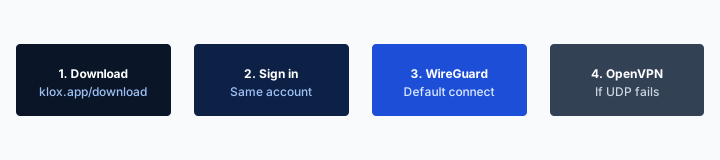
Install the client, then measure ICE
KloxVPN lists WebRTC leak blocking next to DNS through the tunnel. WireGuard, OpenVPN, OpenConnect, and Shadowsocks, five devices, yearly from $2.83 a month, seven-day money-back. Download the app. Test the browser you actually use.
Download KloxVPNFrequently Asked Questions
KloxVPN Team
Experts in VPN infrastructure, network security, and online privacy. The KloxVPN team has been building and operating VPN services since 2019, providing consumer and white-label VPN solutions to thousands of users worldwide.